
A week late by the time it reached the directors
Site news came in on WhatsApp and in daily calls. It reached the directors once a week, in a meeting that ran long and dealt with problems after they’d happened.
Now the team leader’s report sets the project’s progress the same day, and the directors can see it on the dashboard any day of the week.
From the site to the client’s report
-
Step 1: Daily site report
The team leader opens a personal link on a phone. There’s nothing to install and no password. They put in the workers on site, the work done on each task, how the day went, and photos. The photos are stored privately, behind the project manager’s sign-in. If a report is missed, the project manager’s Sites page flags it from the next working day.
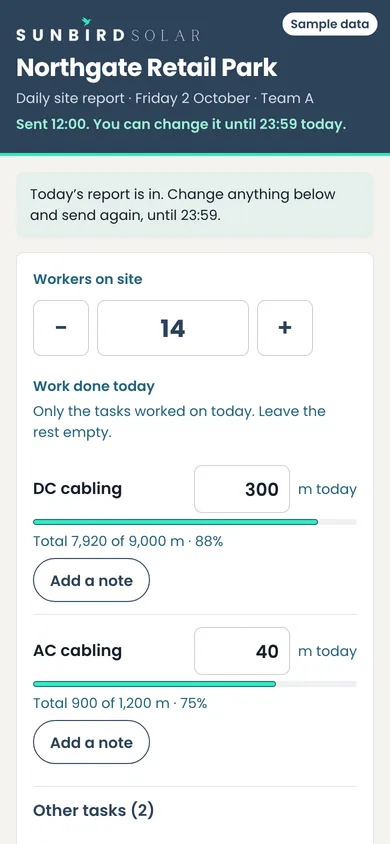
Team A’s report, Friday 2 October. 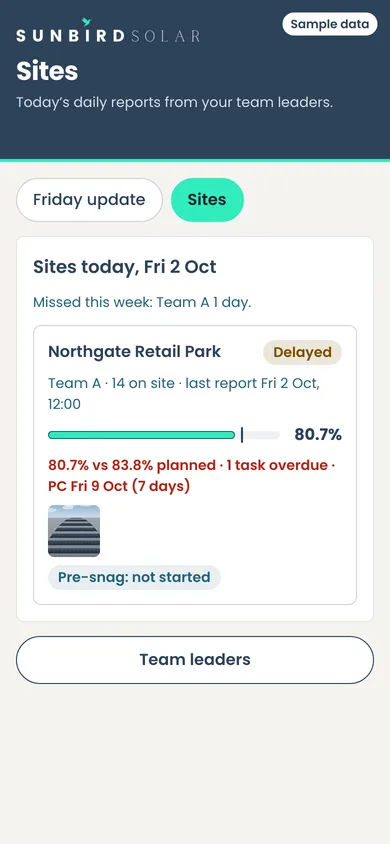
The project manager’s Sites page, with a missed day flagged. -
Step 2: Friday update
The progress figure and the status are already filled in from the week’s site reports. Here the status is Behind, because the DC cabling is past its planned finish. The project manager can change either from a phone, but has to give a reason.
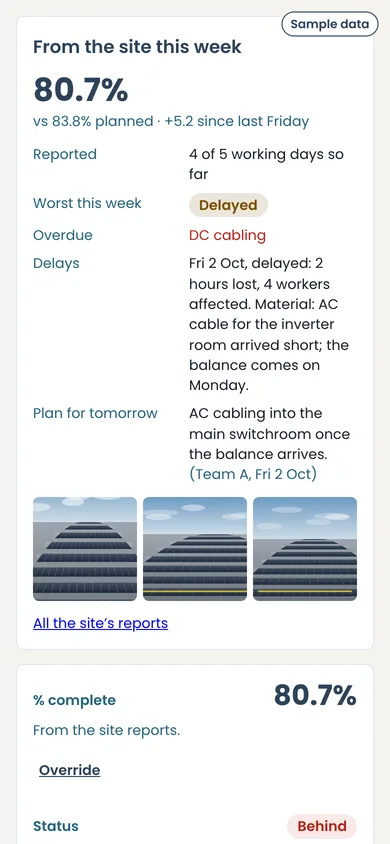
Progress and status, filled in from the site reports. -
Step 3: Site programme
Each task’s progress against its planned dates, kept up to date by the site reports. Every delay goes in a register with the hours lost and the reason. A task list can be saved and reused on the next job.
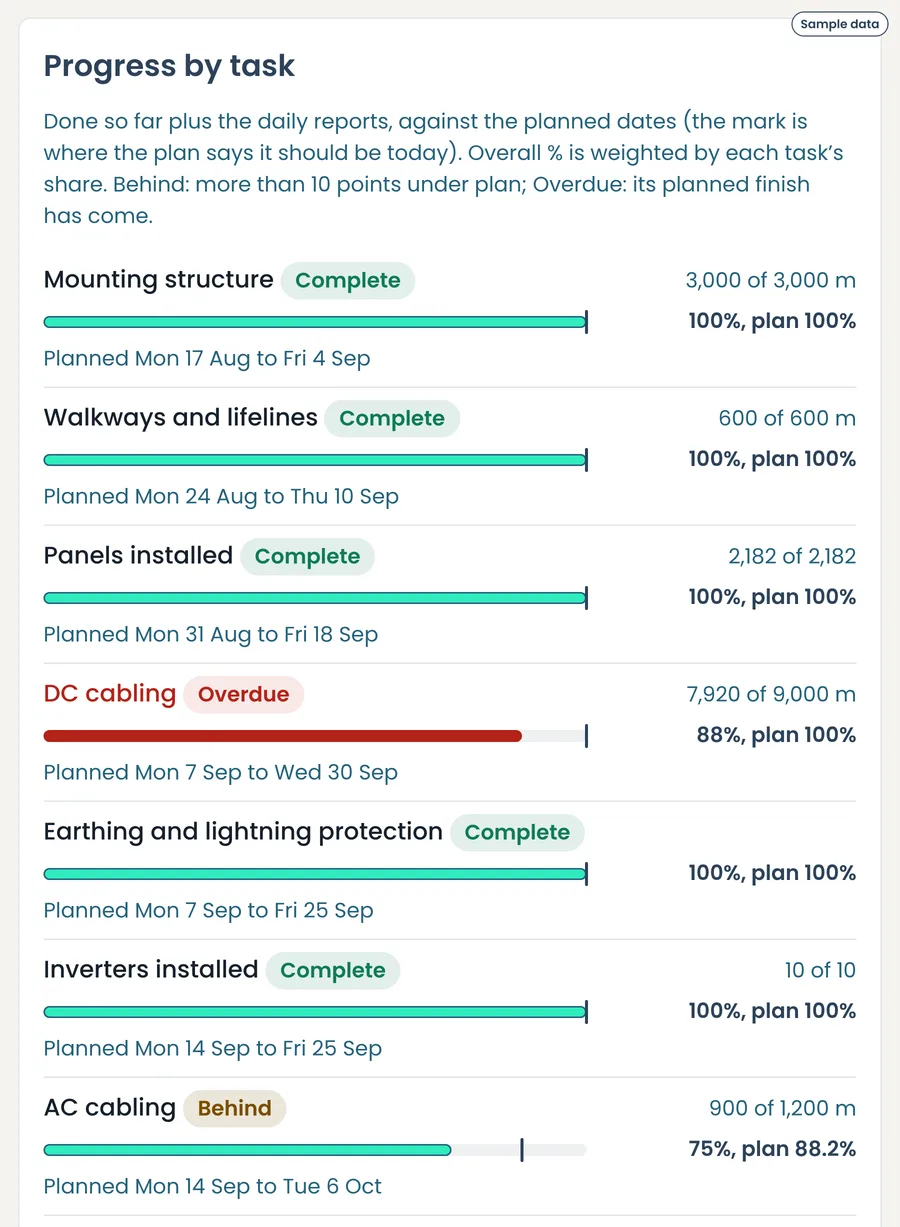
Progress by task, against the plan. 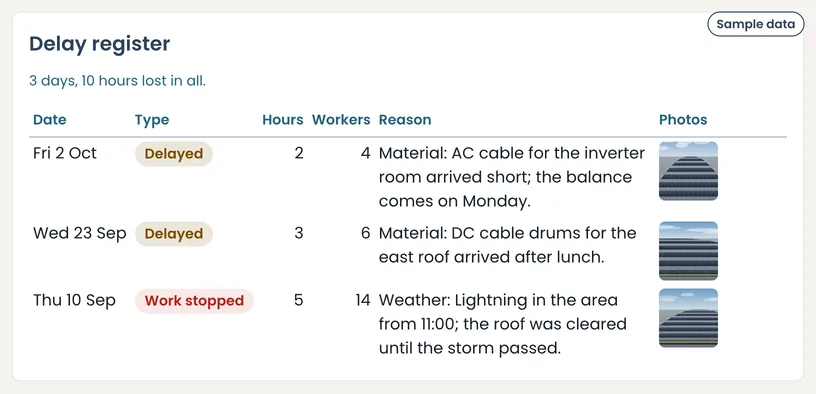
The delay register. -
Step 4: Weekly client report
A PDF in Sunbird’s branding for the client every week. The words are the project manager’s. The progress and photos come from site, and nothing internal goes in.
Download the sample weekly report PDF, 355 KB
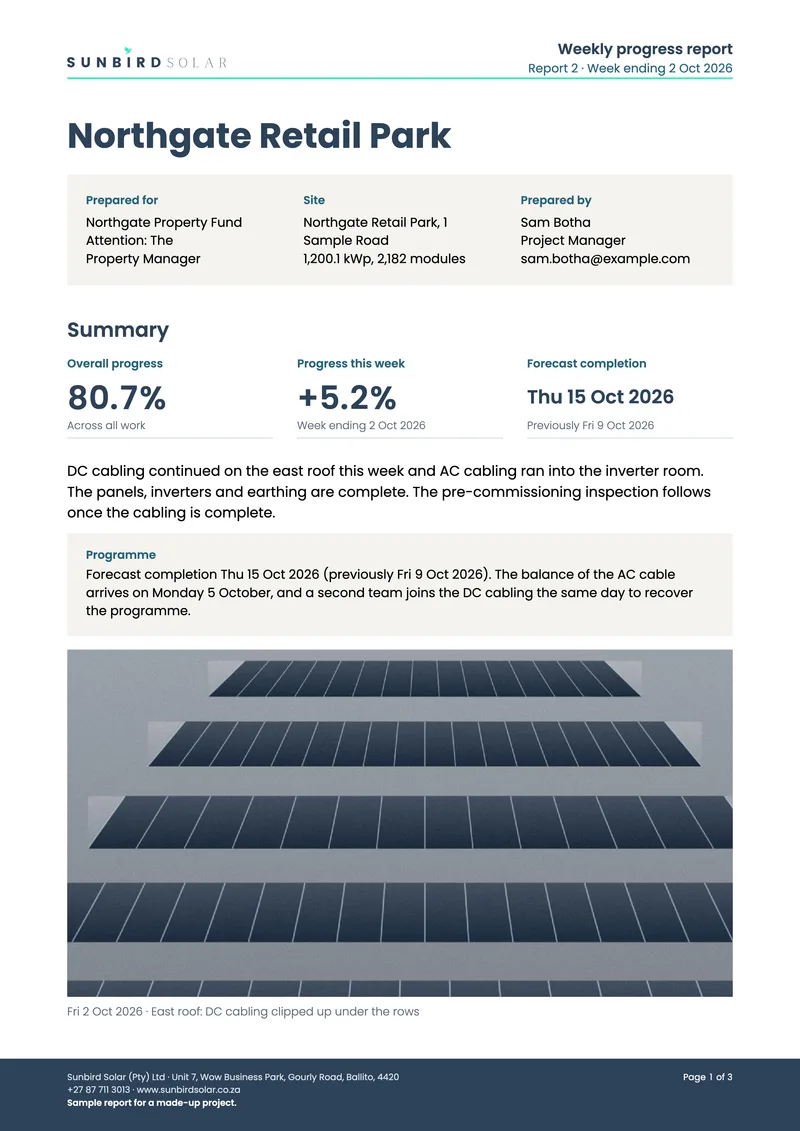
Page 1. -
Step 5: Inspection before commissioning
When the installation is finished, the team leader works through 44 checks on site. Each is marked Done, with a photo taken that day where one is needed, or Not applicable, with a reason. The project manager reviews every item, sends back anything that needs fixing and approves it once it’s right. The approved inspection is saved as a PDF.
Download the sample inspection PDF, 607 KB
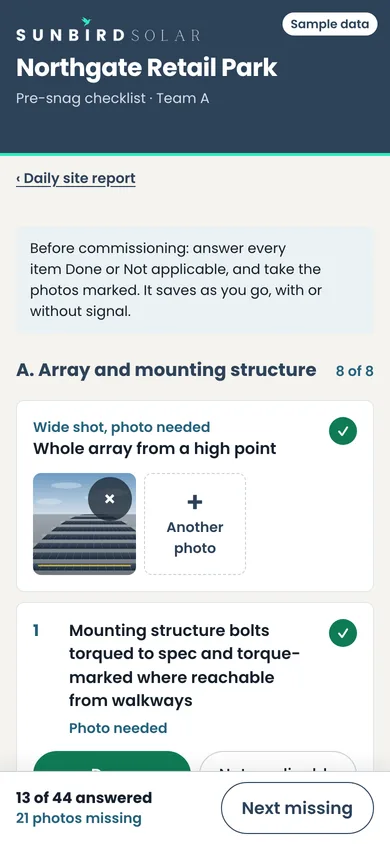
On site, Wednesday 14 October: 13 of 44 answered. 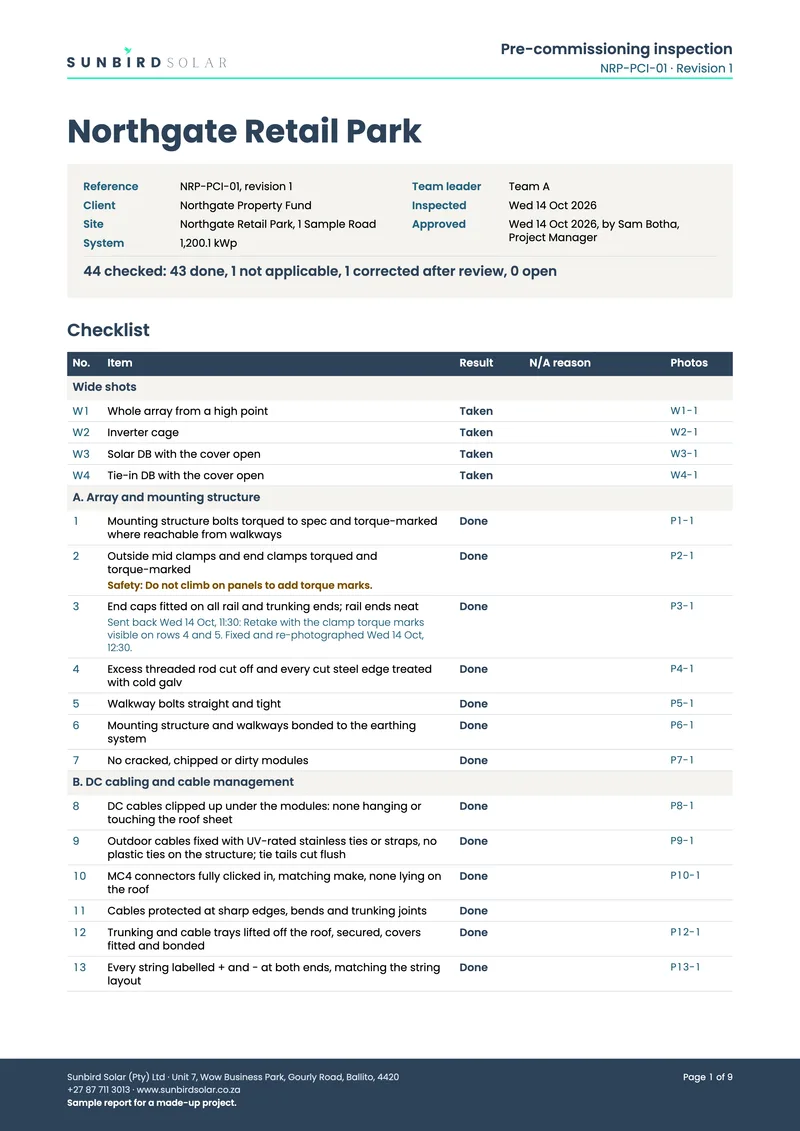
Page 1, approved Wednesday 14 October.


So far
-
44
Checks before anything is commissioned
-
587
Checks the system runs on itself. No change goes live until every one passes.
I built it on 23 and 24 October 2026, and the first Friday emails go out on 30 October. I’ll add what has changed once it has run for a month.
